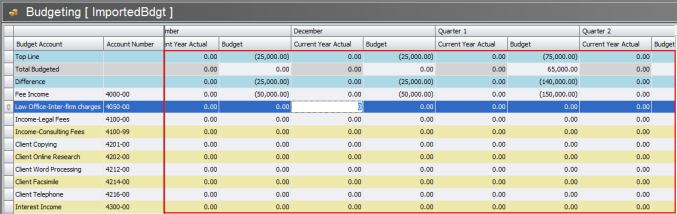
There may be times when you want to lock a particular budget period. Locking a budget removes the edit features to prevent changes to past periods.
NOTE: The Lock and Unlock Past Periods function is only enabled when viewing a budget. It is disabled when using the My Budgets list.
Lock a Budget Period
While viewing the budget, click the Lock or Unlock Past Periods button on the View tool ribbon. The editable portions of the budget grid will turn gray.
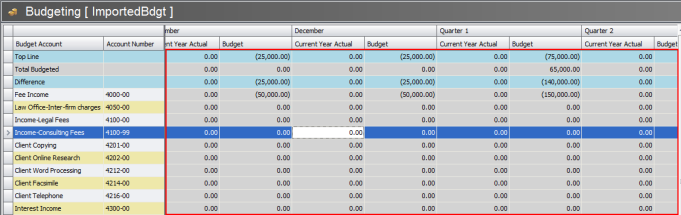
Unlock a Budget Period
Click the Lock or Unlock Past Periods button on the budget when the display is grayed out. The editable portions of the display grid will return to the normal display.